What Are the Most Important Cemetery Software Features?
The most important cemetery software features provide a single, unified system for managing your core operations: mapping, records, sales, and work orders. Essential capabilities include integrated digital mapping, comprehensive record-keeping for spaces and people, sales and contract management, financial tracking and reporting, operational workflow tools, and a public-facing portal for families. Choosing software with these features allows your team to move away from disconnected paper files, spreadsheets, and outdated programs into one source of truth for your entire cemetery.
When evaluating software, the goal is not just to digitize your old processes but to improve them. The right platform connects your office staff to your grounds crew, gives you instant access to financial data, and helps you serve families more effectively. It turns your records from a static archive into a dynamic tool for daily management and long-term planning.
1. Integrated Digital Mapping and Space Management
Integrated digital mapping is a feature that visually represents your cemetery grounds and connects each grave, niche, or crypt directly to its corresponding ownership and interment records. Instead of consulting a separate map or a wall chart, your staff can see space availability, owner details, and interment history by simply clicking on a location within the software. This creates a powerful, intuitive way to navigate your most critical data.
A strong space management system should be built on a clear hierarchy, such as Cemetery → Section → Subsection → Space. This structure mirrors the physical layout of your grounds and makes it easy to organize and find information. When a family asks about available plots in a specific garden, your staff should be able to filter the map by section, see what is sold versus available, and access pricing information instantly. This capability dramatically speeds up sales conversations and reduces the risk of selling the same space twice, a costly error that can damage a cemetery's reputation.
Furthermore, this integration is vital for your grounds crew. When a new interment is scheduled, the system should be able to generate a work order that includes the precise location. Some modern systems even support GPS coordinates, allowing crews to navigate directly to the correct grave with a mobile device. This level of precision minimizes errors and improves the efficiency of your cemetery operations workflow.
2. Comprehensive Record-Keeping for People and Ownership
Comprehensive record-keeping is the foundation of any cemetery management system. Modern software should provide a single, unified profile for every individual, linking their roles as a plot owner, an interred person, a contract signatory, or a family contact. This prevents the creation of duplicate records—a common problem when using separate systems for sales and interments—and ensures that you have a complete history for each person associated with your cemetery.

Look for a system that meticulously tracks ownership history. When a plot is transferred from one owner to another, the software should preserve the original record and create a new one, forming an unbroken, append-only chain of title. This is crucial for resolving future ownership disputes and maintaining clear, defensible records. Vague or incomplete ownership data is a significant liability, and digitizing it correctly is one of the most important steps in modernizing a cemetery.
This feature set should also extend to interment records. Each interment should be linked to a specific space and a specific person's profile, with fields for all necessary details like date of death, date of interment, and funeral home information. Having this data centralized and easily searchable means your staff can answer a family's question about a great-grandparent's location in seconds, rather than hours spent searching through fragile, aging lot cards or disorganized binders.
3. Sales, Contract, and Document Management
Modern cemetery software should streamline your entire sales process, from the initial inquiry to the final deed. This includes features for managing both pre-need and at-need sales, generating contracts, and tracking payment plans. When a salesperson selects a plot on the digital map, the software should automatically pull the correct price, whether it's set per-space or for the entire section, and use it to start building a contract.
Contract generation is a key time-saving feature. Instead of manually typing information into a word processor template, the software should populate the buyer's name, the legal description of the spaces, and the financial terms into a professional, standardized purchase agreement. Many systems also allow for the creation of custom forms and checklists, ensuring that every sale follows the same compliant process. This standardization reduces the risk of clerical errors and ensures that crucial steps, like perpetual care disclosures, are never missed.
Finally, a robust system will manage all related documents in one place. The signed contract, the deed, and any other relevant paperwork should be digitally attached to the ownership record. This eliminates the need for physical filing cabinets and protects your vital documents from fire, flood, or misplacement. When an auditor or a family member requests a copy of a deed from decades ago, your staff can retrieve it with a few clicks.
4. Financial Tracking and Accounting Integration
Effective cemetery management requires a clear view of your financial health. Your software should include features for creating invoices, recording payments, and managing payment plans for pre-need sales. When a payment is received, it should be easy to apply it to the correct invoice, whether the family paid by cash, check, or card. For payment plans, the system should track the remaining balance and automatically update the status of the reserved plots to “Purchased” once the final payment is made.
This financial data should not live in a silo. Look for software that can integrate with standard accounting platforms, such as QuickBooks Online, or provide simple data exports for other systems. A direct sync can automatically send invoice and payment data to your accounting software, eliminating hours of manual data entry and reducing the chance of human error. This gives you and your accountant an accurate, up-to-date picture of your revenue and cash flow.
Beyond daily transactions, your software should help you manage trust funds like perpetual care. While the software itself should not offer tax or legal advice, it should be able to tag and report on the portion of each sale designated for the perpetual care fund. This makes it easier to calculate your liabilities and prepare reports for your board or municipal oversight body. Always be sure to consult with a professional and confirm local regulations for handling these funds.
5. Operational Workflows and Crew Management
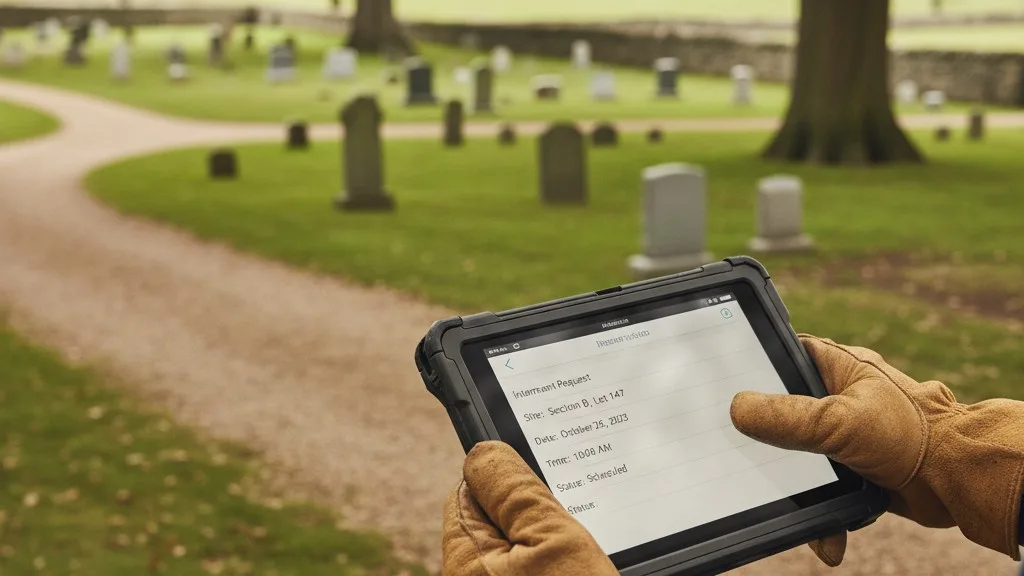
A major benefit of modern software is its ability to connect the front office with the grounds crew. Look for features that let you create, assign, and track work orders for every task, from interments and disinterments to foundation pours and monument settings. When the office schedules an interment, a work order should be automatically generated and assigned to the grounds superintendent.
The work order itself should contain all the information the crew needs to do the job correctly the first time. This includes the decedent's name, the precise location of the space (ideally with map coordinates), the scheduled date and time, and any special instructions. As the crew completes the work, they can update the status in the system, giving the office real-time visibility. This closed-loop communication prevents miscommunication and ensures that tasks don't fall through the cracks, leading to a more professional and reliable service for families.
This workflow automation extends to monument and marker installation. The software can track the status of a marker order—from the time it's ordered from the vendor, to when it's received at the cemetery, to when it's installed on the grave. This creates a clear log that helps staff answer family questions about the status of their loved one's memorial without having to make multiple phone calls or search through paper logs.
6. Reporting and Analytics
You can't manage what you can't measure. A critical feature of any cemetery software is a robust reporting engine that turns your operational data into actionable insights. The system should come with a set of standard, pre-built reports that give you an immediate overview of your cemetery's health. These should include reports on sales performance, available inventory, accounts receivable, and upcoming interments.
For example, an inventory report can tell you exactly how many graves, niches, and crypts you have left to sell in each section, which is essential for long-term expansion planning. A sales report can show you trends over time, helping you understand your busiest seasons and forecast future revenue. Running these reports should be simple, requiring just a few clicks to generate a clear, easy-to-read summary for a board meeting or a weekly staff huddle.
Beyond standard reports, look for the ability to search and filter your data. If you need to find all interments that occurred in a specific date range or identify all unpaid invoices over 90 days old, the software should make it easy to do so. This powerful search capability allows you to answer specific questions quickly and perform internal audits without having to manually sift through thousands of records.
7. Public Portal for Families
A public-facing portal is an increasingly important feature that extends the value of your software beyond your office walls. This feature allows you to publish a searchable online database of interments, enabling families and genealogists to find the location of loved ones from anywhere in the world. For many people, this is their first interaction with your cemetery, and providing a helpful, accessible tool makes a powerful first impression.
Modern systems often allow you to enhance these public records with photos of the headstone, biographical information, and obituaries. This transforms a simple burial search into a rich, digital memorial that honors the lives of those entrusted to your care. You should have full control over what information is made public, ensuring that you can respect family privacy while still providing a valuable community resource.
Some platforms also allow you to publish a public version of your cemetery map, showing which areas have available spaces. This can be a valuable, low-pressure sales tool, allowing potential customers to explore your grounds and options on their own time before contacting your office. It meets the modern expectation for digital convenience and transparency.
Frequently Asked Questions
How much does cemetery software cost?
The cost of cemetery software varies widely based on the size of your cemetery, the number of records you have, and the features you need. Most modern software is sold as a subscription (SaaS), which typically involves a setup fee for data migration and training, followed by a recurring monthly or annual fee. This model includes software updates, security, and support. Be wary of vendors with complex pricing or many hidden fees; a reputable provider will offer a clear, transparent quote based on your specific needs.
How long does it take to implement new cemetery software?
Implementation time depends heavily on the state of your existing records. If your records are already in a structured digital format like a spreadsheet, the migration can be relatively quick. If you are working from paper lot cards, maps, and binders, the process will take longer as it requires a thorough cemetery records audit and data entry project. A typical implementation can take anywhere from a few weeks to several months. Your software provider should work with you to create a realistic project plan.
Can we migrate our old paper records into the software?
Yes, migrating paper records is a primary reason cemeteries adopt new software. The process usually involves a combination of scanning documents and manually entering data into the new system. Some software providers offer data migration services as part of their implementation package, which can save your staff significant time and ensure the data is entered correctly. This is a critical step, as the new software is only as good as the data within it.
Is cloud-based software secure for sensitive cemetery records?
Reputable cloud-based software providers use enterprise-grade security measures to protect your data. This includes data encryption, regular backups, and secure data centers that are often more robust than what a single cemetery could maintain on its own. Your data is isolated from other cemeteries on the platform. When evaluating vendors, always ask about their security practices, backup procedures, and disaster recovery plans.
Choosing the Right Tools for Your Cemetery
Selecting new cemetery software is a significant decision that will shape your operations for years to come. By focusing on these essential features—integrated mapping, comprehensive records, sales and finance tools, operational workflows, reporting, and a public portal—you can ensure you are choosing a platform that not only solves today's problems but also prepares your cemetery for the future. The goal is a single system that provides clarity for your staff, precision for your crew, and better service for the families you support.
If your office is struggling with disconnected systems, Sunset’s unified platform for spaces, ownership, and operations might be the right fit. It was built by a family with decades of experience running cemeteries to solve these exact challenges. You can book a conversation with our team to see how it works.